Following thousands of accounts you no longer care about makes your feed noisy and can push you against Instagram’s following limit. The obvious fix is to unfollow them all at once. The problem: Instagram doesn’t offer that button, and the apps that promise it can put your account at risk.
In short: Instagram has no official way to mass unfollow. You unfollow accounts one at a time, from your Following list or from each profile. To do it faster and safely, open your Following list and use Instagram’s built-in categories, such as accounts you’ve interacted with least, and work through it in batches over several days. Instagram head Adam Mosseri has said you can’t mass unfollow, but the app shows the accounts you interact with least to help you decide. Avoid third-party mass-unfollow apps. Instagram warns against giving your login to apps you don’t trust, and says automated activity from outside apps goes against its Community Guidelines. Facts below were checked against Instagram’s Help Center on 5 November 2026.
Can You Mass Unfollow on Instagram?
| Question | Answer |
|---|---|
| Is there an “unfollow all” button? | No |
| Can you select several accounts and unfollow them together? | No |
| Will Instagram support do it for you? | No. Ignore any guide that says otherwise |
| Are people notified when you unfollow them? | No, according to Instagram |
| Is there a limit on how many people you can follow? | Yes, 7,500 accounts |
| Are third-party mass unfollow apps safe? | Risky. See below |
The Fastest Safe Way to Unfollow Many Accounts
Step 1: Open Your Following List
- Go to your profile.
- Tap Following at the top.
Step 2: Use Instagram’s Categories and Sorting
At the top of your Following list, Instagram shows categories such as Least interacted with. Mosseri described these as the accounts you’ve interacted with least over the last 90 days. They are usually the easiest ones to drop.
You can also sort the list, for example by the date you followed. Sorting with the earliest first brings up old follows you may have forgotten. Menu names can vary slightly by app version.
Step 3: Unfollow From the List
Tap the Following button next to an account to unfollow it, without opening their profile. This is much quicker than visiting each profile.
Step 4: Work in Batches
Instagram doesn’t publish a daily unfollow limit. Unfollowing hundreds of accounts very quickly can look like automated behavior, which Instagram works to detect. Spreading the cleanup over several days, with short sessions and breaks, is the safest approach.
Who to Unfollow First: A Cleanup Checklist
| Unfollow first | Think twice |
|---|---|
| Accounts in “Least interacted with” | Friends and family, even if you rarely interact |
| Inactive accounts that haven’t posted in a long time | Clients, colleagues and industry contacts |
| Giveaway and contest accounts you followed once | Accounts you follow for work research |
| Brands you no longer buy from | Small creators you want to support |
| Accounts that post content you no longer want | Accounts you might want to follow back later |
Alternatives to Unfollowing
If your real goal is a cleaner feed, you may not need to unfollow at all:
- Mute an account to stop seeing its posts or Stories, while still following it.
- Restrict someone to limit their interactions with you without unfollowing or blocking.
- Use the Following feed to see only posts from accounts you follow, in time order.
Why to Avoid Mass Unfollow Apps
App stores and browser extension stores have many “mass unfollow” tools. Here is why we don’t recommend them:
- They usually need your login. Instagram’s Help Center tells users to be careful before giving third-party apps access and to never share login details with an app you don’t trust.
- They automate actions. Instagram says non-Instagram apps that create automated likes, comments and follows generate inauthentic activity, which goes against its Community Guidelines and gets removed.
- Your account carries the risk. Fast automated unfollowing is exactly the pattern anti-spam systems are built to spot, and any restriction falls on your account, not the app.
- Security. Any app holding your password or session can do more than unfollow. If you used one, change your password and review connected apps in your settings.
Instagram’s Following Limit
Instagram’s Help Center says it doesn’t let anyone follow more than 7,500 accounts, to help reduce spam. If you try, you’ll see an error message, whatever your follower count. Accounts already above 7,500 got there before the limit was introduced. If you’re near the limit, a cleanup frees space to follow new accounts.
For Brands and Creators
A tidy following list makes a business account look more focused. A few tips:
- Review your following list once a quarter rather than letting it build up.
- Don’t use follow-and-unfollow tactics to grow. Instagram removes inauthentic activity, and your audience may notice.
- Keep following partners, collaborators and clients, since a sudden unfollow can be noticed even without a notification.
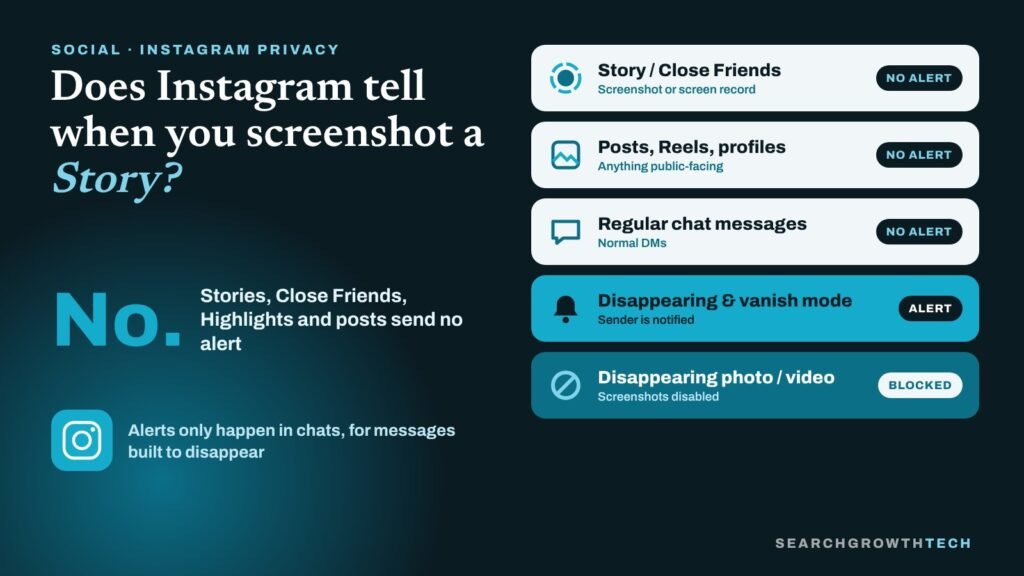
For more Instagram account management, see our guides on how to hide followers on Instagram and whether Instagram tells when you screenshot a Story.
Key Takeaways
- Instagram has no official mass unfollow feature. You unfollow one account at a time.
- The fastest safe method is your Following list, using the “Least interacted with” category and sorting by date followed.
- Work in batches over several days instead of unfollowing hundreds at once.
- People aren’t notified when you unfollow them.
- Third-party mass unfollow apps risk your account and your login details.
- Instagram caps following at 7,500 accounts.
FAQs
Can You Mass Unfollow on Instagram?
No. Instagram doesn’t offer bulk unfollowing. You can unfollow quickly from your Following list, one account at a time.
How Many Accounts Can I Unfollow per Day on Instagram?
Instagram doesn’t publish a number. Unfollowing large numbers very quickly can look automated, so spread it out over several days.
Does Instagram Notify Someone When You Unfollow Them?
No. Instagram says people won’t be notified when you unfollow them.
Are Mass Unfollow Apps Safe?
They’re risky. Most need your login, and Instagram says automated activity from non-Instagram apps goes against its Community Guidelines.
How Do I See Who I Interact With Least on Instagram?
Go to your profile, tap Following, and open the “Least interacted with” category at the top of the list.
What Is the Instagram Following Limit?
7,500 accounts. Instagram says this limit helps reduce spam.