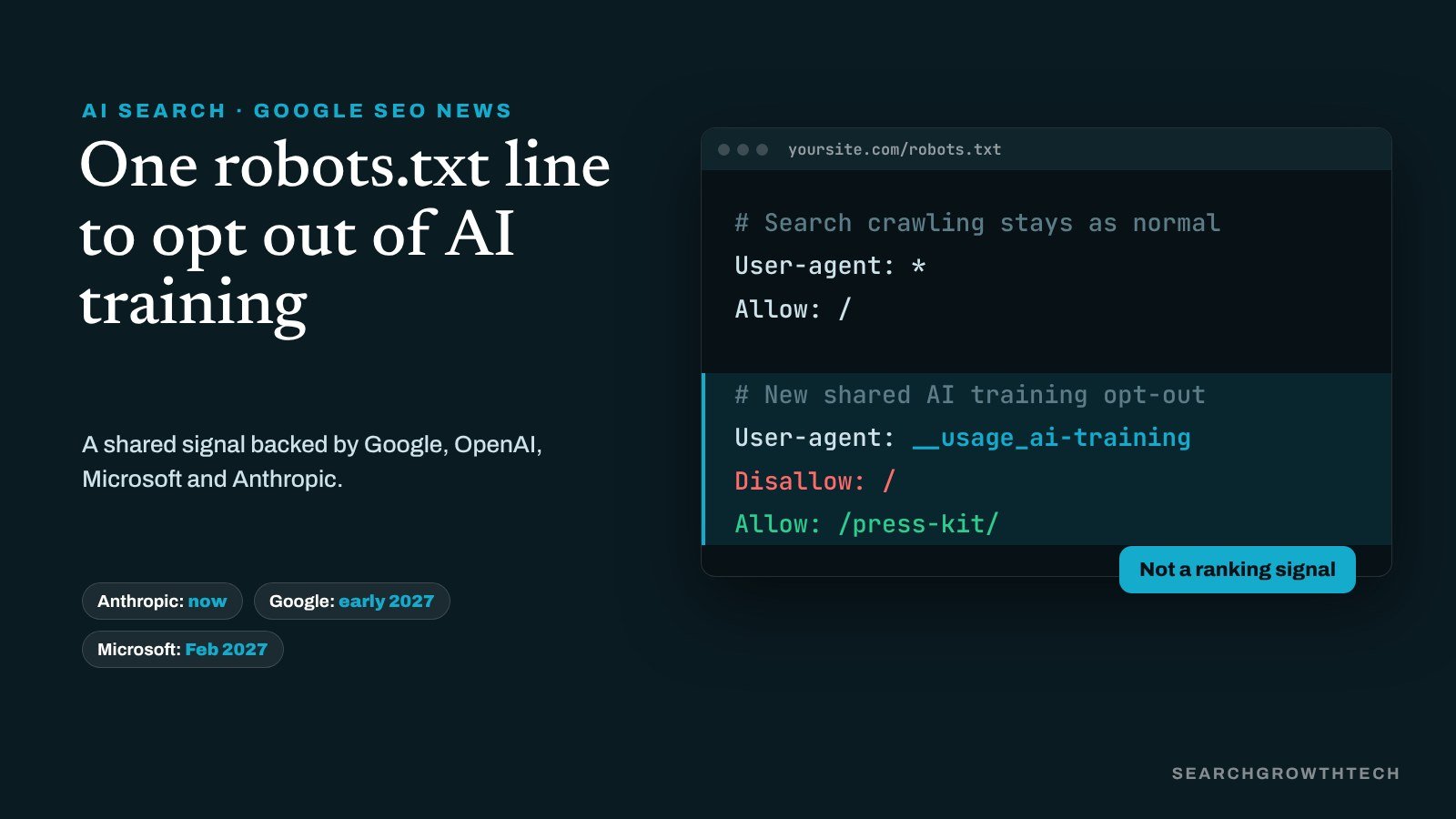
Google, OpenAI, Microsoft and Anthropic have backed a single robots.txt rule that lets a website say “do not use my content for AI training” to all of them at once. Google announced on 30 October 2026 that it will support the new shared signal, and plans to start honoring it in early 2027.
Until now, site owners had to block each company separately, with tokens such as Google-Extended, GPTBot and ClaudeBot. The new rule does not replace those. It adds one line that every participating company has agreed to read.
Here is how it works, how to add it, and what it does not do.
What Google Announced
The new signal comes from the AI Preferences (AIPREF) work at the IETF, the body that develops internet standards such as HTTP. Google described it as a shared “policy token” and said it will adopt it voluntarily.
The token is written like a user agent in robots.txt:
__usage_ai-training
It does not belong to a real crawler. Instead, it tells every participating AI company how you want your content used for training.
Who Supports It, And When
| Company | Status | Existing token still works |
|---|---|---|
| Anthropic | Honoring the signal now | ClaudeBot |
| OpenAI | Planned “in the coming months” | GPTBot |
| Planned for early 2027 | Google-Extended | |
| Microsoft | Planned from February 2027 | Bing’s own controls |
So for now, adding the shared rule mainly affects Anthropic. It is still worth adding today, because each company will start applying it on its own schedule without you having to change anything again.
How To Add It To robots.txt
To opt your whole site out of AI training by participating companies:
User-agent: __usage_ai-training
Disallow: /
To opt out but keep one section available, for example a press kit you want AI tools to learn from:
User-agent: __usage_ai-training
Disallow: /
Allow: /press-kit/
Add these lines as a separate group. Do not merge them into your existing User-agent: * group, or you may block normal search crawling by mistake.
Adding It On WordPress
- Yoast SEO: go to Yoast SEO > Tools > File editor and add the group to your robots.txt.
- Rank Math: go to Rank Math > General Settings > Edit robots.txt.
- Physical file: if your host serves a real robots.txt file, edit it through your file manager or SFTP.
After saving, open yoursite.com/robots.txt in a browser to confirm the new group appears exactly as written.
How It Works With Google-Extended
Google-Extended is Google’s own token for controlling whether your content is used to train and improve its Gemini models. It keeps working.
Google’s rule for combining the two is simple:
- If you opt out with the shared token and do not mention Google-Extended, Google treats Google-Extended as blocked too.
- If you set Google-Extended separately, that more specific instruction is the one Google follows for Google.
In practice, most sites can use the shared token alone. Add a separate Google-Extended rule only if you want Google to behave differently from the other AI companies.
What It Does Not Do
- It is not a ranking signal. It is a training preference, and Googlebot still crawls your site for Search as normal.
- It is not enforcement. Like all robots.txt rules, it is a request. Crawlers that ignore robots.txt will ignore this too. Blocking them needs server or firewall rules.
- It does not cover every company. Only providers that have agreed to the standard will read it.
- It is separate from AI search features. Whether your pages appear in AI Overviews or AI Mode is controlled through Search, not this training signal. Our AI Search coverage tracks those controls.
Should You Add It?
It depends on what you want from AI tools.
- Add it if you publish original research, paid content or creative work you do not want used to train models.
- Leave it out if you want AI tools to know about your brand, products and expertise. Being part of training data can help AI assistants mention you accurately.
- Use Allow rules for a middle path: block most of the site, but keep product pages, a press kit or an about page open.
For more news on Google’s crawling and AI policies, follow our Google SEO section.
Key Takeaways
- A new robots.txt token,
__usage_ai-training, lets you opt out of AI training by participating companies in one step. - Anthropic honors it now, OpenAI plans to soon, Google from early 2027 and Microsoft from February 2027.
- If you use it without a Google-Extended rule, Google treats Google-Extended as blocked.
- It does not affect rankings and cannot stop crawlers that ignore robots.txt.
- Add it as its own group, and check yoursite.com/robots.txt after saving.
FAQs
Does Blocking AI Training Hurt My Google Rankings?
No. The token controls AI training preferences. Googlebot keeps crawling and indexing your pages for Search.
Do I Still Need Google-Extended?
Not if you want Google to follow the same choice as everyone else. Google treats the shared opt-out as blocking Google-Extended when you have not set Google-Extended yourself.
When Will Google Start Using It?
Google says early 2027. You can add the rule now so it applies as soon as support begins.
Can I Allow Some Pages And Block The Rest?
Yes. Use Disallow: / with one or more Allow: lines for the paths you want to keep available.