The 301 vs 302 debate has been running for years, usually framed around “link juice.” Google’s documentation frames it differently. The real question is whether you want Google to treat the new URL as the canonical, the one that shows in search. A permanent redirect says yes. A temporary redirect says not yet. Pick the wrong one and the old URL can linger in results, or the new one may not take over.
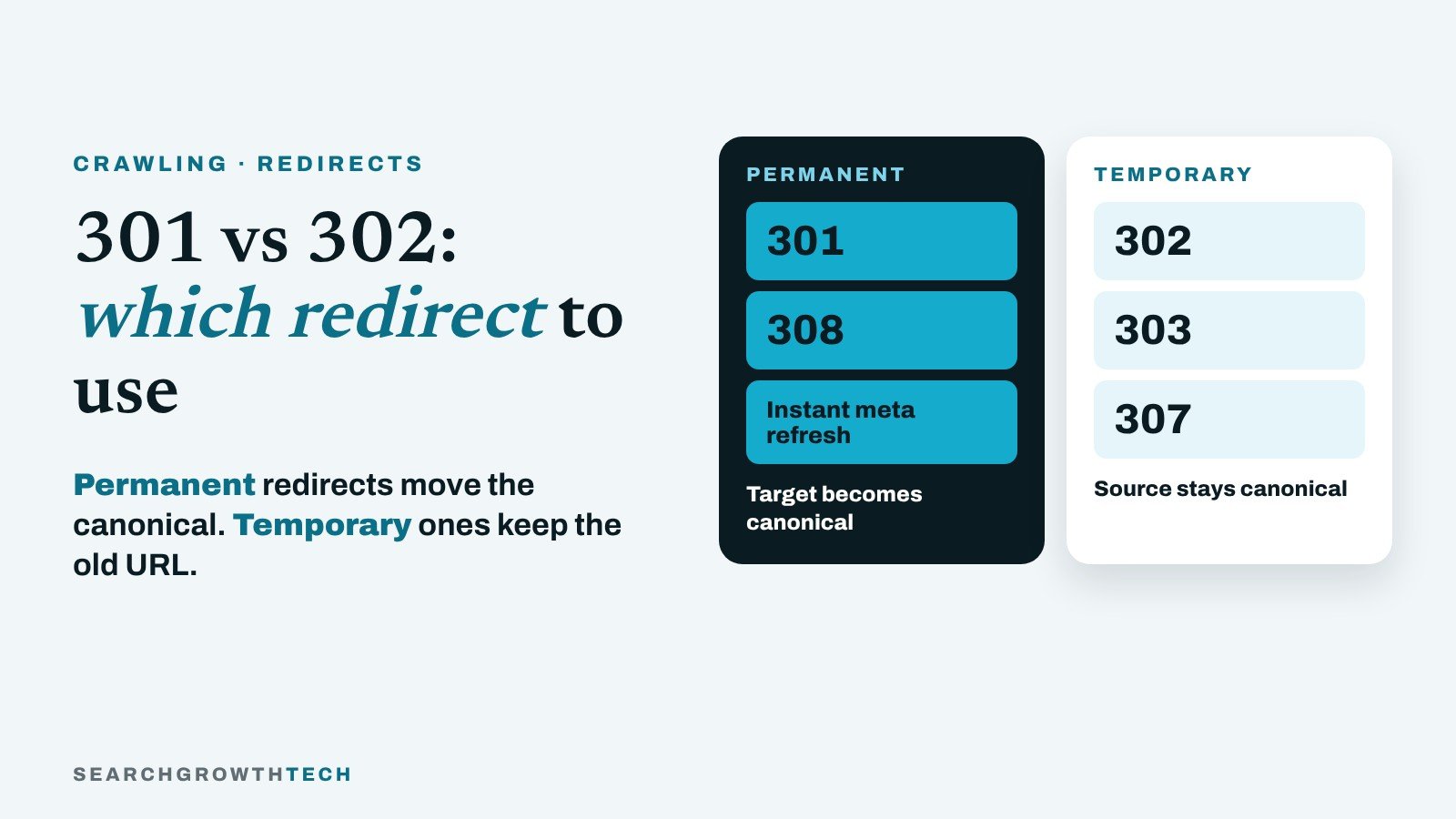
In short: use a 301 or 308 when a page has moved for good. Google says it follows these redirects and treats the target as the canonical. Use a 302, 303 or 307 when the move is temporary. Google follows them but doesn’t use them as a canonical signal, so the original URL may stay in results. Instant meta refresh redirects count as permanent and delayed ones as temporary. JavaScript redirects work only if rendering succeeds, so Google advises using them only when server-side or meta refresh redirects aren’t possible. Server-side redirects are the most reliable. Facts below were checked against Google Search Central’s redirects documentation on 5 November 2026.
Redirect Types and How Google Treats Them
| Redirect | Type | Google’s treatment |
|---|---|---|
| HTTP 301 (Moved Permanently) | Permanent | Follows it. Target becomes canonical (strong signal) |
| HTTP 308 (Permanent Redirect) | Permanent | Same as 301 |
| Meta refresh, 0 seconds | Permanent | Same as 301 |
| JavaScript location | Permanent | Followed only if rendering succeeds |
| HTTP 302 (Found) | Temporary | Follows it. Not used as a canonical signal |
| HTTP 303, 307 | Temporary | Same as 302 |
| Meta refresh, more than 0 seconds | Temporary | Same as 302 |
| “We moved” notice with a link | Not a real redirect | Google may or may not recognize it |
301 vs 302: Which Should You Use?
| Situation | Use |
|---|---|
| Moving to a new domain | 301 or 308 |
| Switching HTTP to HTTPS | 301 or 308 |
| Changing a URL slug permanently | 301 or 308 |
| Merging two articles into one | 301 to the merged page |
| Product temporarily out of stock, sending users to a category | 302 or 307 |
| A/B test or short campaign page | 302 or 307 |
| Site maintenance | Not a redirect: return 503 instead |
Google’s rule of thumb: use permanent redirects “when you’re sure that the redirect won’t be reverted.”
Does a 302 Pass Ranking Signals?
Google’s redirect documentation doesn’t frame it in terms of link equity. It says that for temporary redirects, the target isn’t treated as canonical by the redirect, though “the target page might still be indexed if other canonicalization signals are present.” The practical point: if the move is permanent, use a permanent redirect so Google consolidates on the new URL.
Why Server-Side Redirects Are Best
- Reliable: Google sees them on the first request, no rendering needed.
- Fast: users don’t load a page before being sent on.
- Clear: the status code states permanent or temporary.
Set them up in your server config (Apache, Nginx), hosting panel or a WordPress redirect plugin. Google advises JavaScript redirects only if you can’t do server-side or meta refresh redirects, because Google might not render the page.
Redirects and Canonicals
Google’s canonicalization guide rates redirects as a strong signal that the target should be canonical, alongside rel=”canonical”. Use a redirect when no one needs the old URL, and a canonical tag when both URLs must stay accessible. See our canonical tags guide.
Redirect Mistakes to Avoid
| Mistake | Problem |
|---|---|
| Redirect chains (A to B to C) | Slower, and Google’s crawl budget guide advises avoiding long chains |
| Redirect loops | The page never loads for users or Google |
| Redirecting everything to the homepage | Irrelevant targets confuse users and can be treated like errors |
| Using 302 for permanent moves | The old URL may stay in search |
| Removing redirects too soon after a migration | Old links and bookmarks break |
| Leaving internal links pointing to redirected URLs | Extra hops for every visit. Update links to the final URL |
Redirect Checklist for a Site Migration
- Map every old URL to its closest new equivalent.
- Use 301 or 308 for each.
- Update internal links, canonicals and sitemaps to the new URLs.
- Test a sample with a header checker or URL Inspection.
- Watch the Page Indexing report for errors and redirect issues.
- Keep redirects in place long term. Old links can keep arriving for years.
Key Takeaways
- 301 and 308 are permanent. Google treats the target as canonical.
- 302, 303 and 307 are temporary. Google doesn’t use them as a canonical signal.
- Instant meta refresh counts as permanent. Delayed meta refresh counts as temporary.
- Server-side redirects are most reliable. JavaScript redirects are a last resort.
- Avoid chains, loops and blanket redirects to the homepage.
FAQs
What Is the Difference Between a 301 and a 302 Redirect?
A 301 is permanent and makes the target canonical. A 302 is temporary and isn’t used as a canonical signal.
Is a 308 the Same as a 301 for SEO?
Google treats both as permanent redirects.
Do JavaScript Redirects Work for SEO?
Only if Google renders the page successfully. Google advises using them only when other methods aren’t possible.
Should I Use a Redirect During Maintenance?
No. Return a 503 status for temporary downtime instead.
How Long Should I Keep a 301 Redirect?
Long term. Old links and bookmarks can keep sending visitors for years.
Are Redirect Chains Bad for SEO?
Google’s crawl budget guidance advises avoiding long redirect chains. Point links to the final URL.