Your page used to appear in Google’s AI Overviews. Or ChatGPT used to mention your brand. Then one week it stopped, and your traffic report started trending the wrong way.
Most recovery advice jumps straight to a fix. The problem is that “lost AI search visibility” can mean four different things, and each one needs a different response. This guide gives you a quick way to tell them apart, plus the filters, settings and templates to check your own site in under an hour.
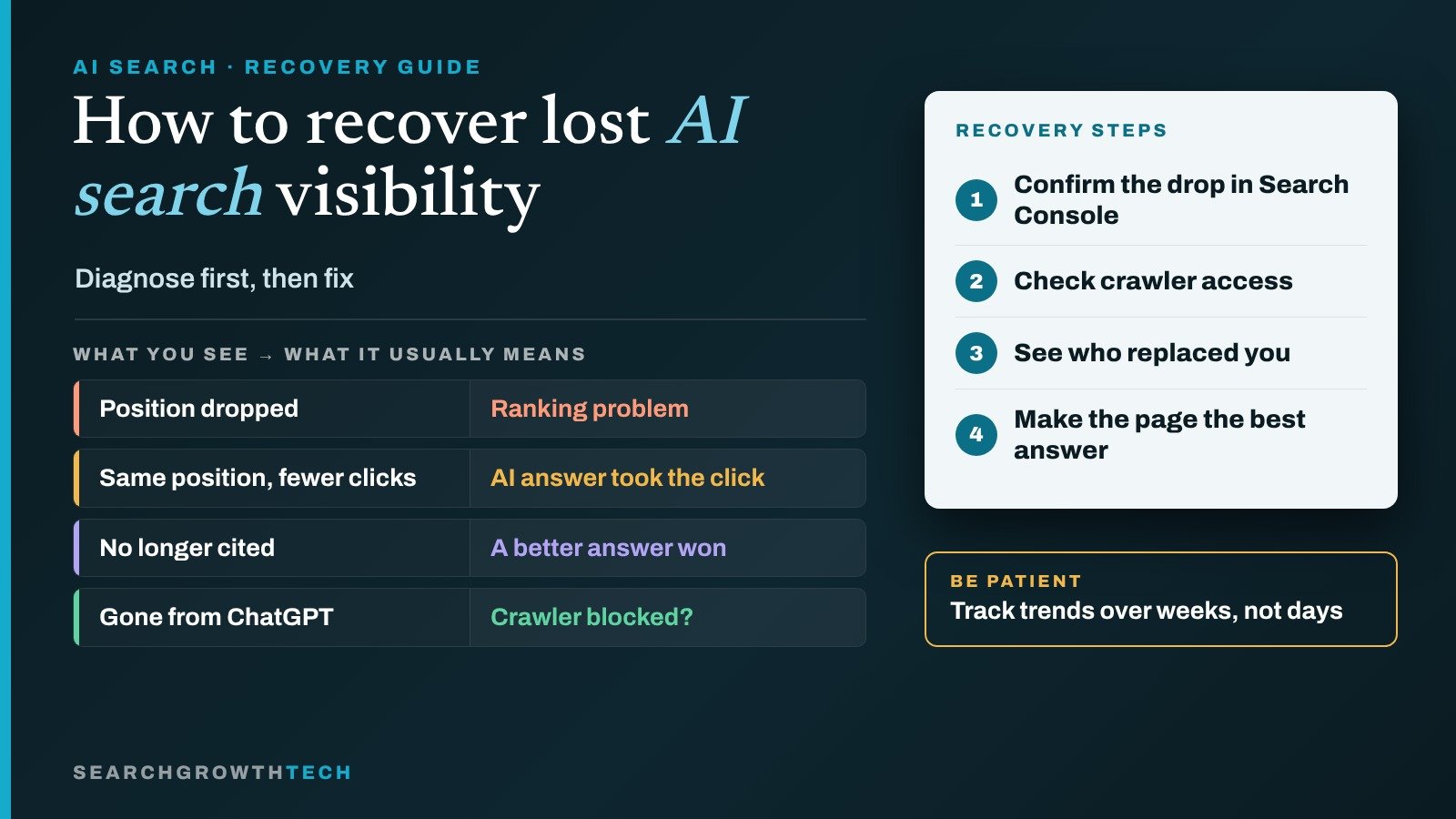
In short: to recover lost AI search visibility, first work out what you actually lost: rankings, clicks, citations, or crawler access. Confirm it in Search Console and your analytics, rule out technical blocks, compare your page with the sources that replaced you, and improve it. Technical fixes can work within days. Content and reputation fixes take weeks.
Watch: How to Recover Lost AI Search Visibility: A Step-by-Step Diagnosis
Step 1: Work Out What You Actually Lost
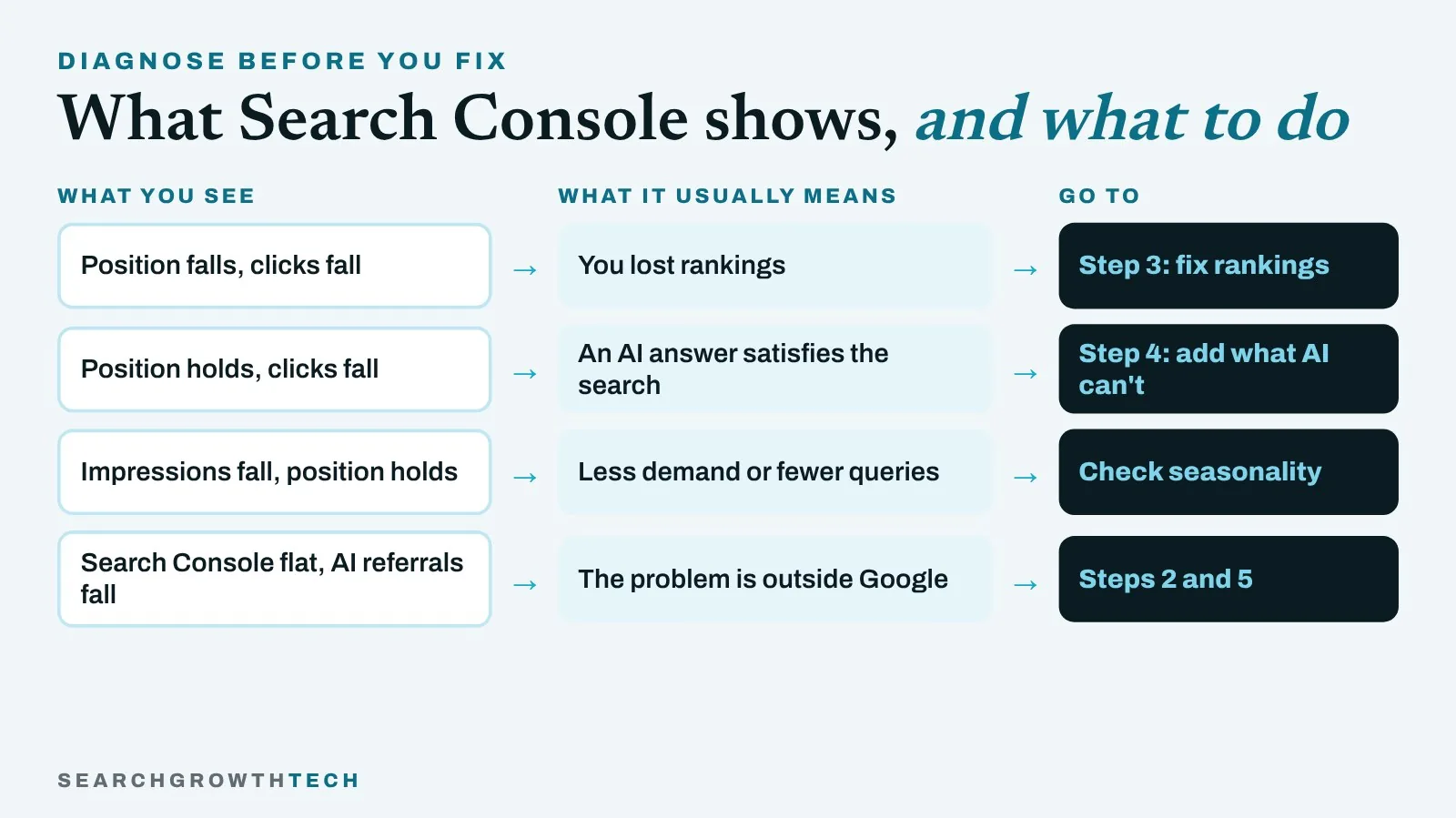
Open Search Console, go to Performance, and compare the period after the drop with the same length of time before it. Then match the pattern to this table.
| What Search Console shows | What it usually means | Go to |
|---|---|---|
| Position falls, clicks fall | You lost rankings, so you also lost AI visibility | Step 3 |
| Position and impressions hold, clicks fall | An AI answer now satisfies the search before people click | Step 4 |
| Impressions fall, position holds | Fewer people search for it, or the page shows for fewer queries | Check seasonality and queries |
| Nothing changes in Search Console, but ChatGPT or Perplexity referrals fall | The problem is outside Google | Step 2, then Step 5 |
Google includes clicks and impressions from AI Overviews and AI Mode in the Performance report under the “Web” search type. There is no separate AI line, which is why the pattern matters.
Two Filters That Make the Pattern Clear
Question queries in Search Console. In the Performance report, add a Query filter, choose “Custom (regex)” and paste:
^(what|how|why|when|who|which|where|is|are|can|does|do|should)\bCompare clicks and click-through rate for these question searches with everything else. If question queries dropped much harder, AI answers are the likely cause.
AI assistant referrals in Google Analytics 4. In Reports or Explore, filter Session source with “matches regex” and paste:
chatgpt|perplexity|gemini|copilot|claudeThis shows visits from AI assistants over time, separate from Google. Some visits from these tools arrive without a source and show as direct traffic, so treat this as a minimum.
For context, some click loss is normal when an AI answer appears. In a study of 900 US adults’ browsing in March 2025, Pew Research Center found users clicked a traditional search result in 8% of visits to pages with an AI summary, compared with 15% when there was none.
Step 2: Rule Out Technical Blocks
This is the fastest kind of recovery, so check it before touching content.
- Read your robots.txt. Visit yoursite.com/robots.txt and look for rules that block Googlebot, OAI-SearchBot or PerplexityBot.
- Check your firewall and CDN. Bot protection can block crawlers without anyone editing robots.txt. Cloudflare, for example, changed its default to block AI crawlers in July 2025. If your hosting has raw access logs, search them for the bot names above and look for 403 or 429 responses.
- Inspect key URLs. Use the URL Inspection tool to confirm each important page is indexed and that Google chose the canonical you expect.
- Look for snippet limits. View the page source and search for
nosnippetandmax-snippet. SEO and security plugins sometimes add them. - Remember recent changes. Redesigns, migrations and new URL structures are common triggers. Line the drop up with your own release dates.
A robots.txt That Keeps AI Search Open
Many sites want to appear in AI search answers but not have their content used for model training. These are separate crawlers, so you can treat them differently. An example:
User-agent: OAI-SearchBot
Allow: /

User-agent: PerplexityBot
Allow: /

User-agent: GPTBot
Disallow: /
OpenAI says OAI-SearchBot is used to show websites in ChatGPT search, while GPTBot is used for training. Sites that opt out of OAI-SearchBot will not be shown in ChatGPT search answers. Whether you block training crawlers is a business decision. Just make sure you are not blocking the search crawlers by accident.
Step 3: If You Lost Rankings, Fix the Rankings
Google says its AI features are built on its core Search systems, so a page that drops in normal results usually drops in AI answers too. There is no separate AI fix for a ranking loss.
- Check whether the drop lines up with a confirmed Google core update or spam update.
- Look at the pages that now rank above you and ask what they do better for the searcher.
- Improve the page for people: more accurate, more complete, more experienced. Google does not guarantee recovery after changes, and it can take time.
Our AI Search coverage tracks Google updates and AI feature changes that can explain sudden shifts.
Step 4: If Rankings Held but Clicks Fell
This is the most common pattern, and part of it cannot be undone. When an AI answer fully settles a simple question, some people will never click. The goal is to win the clicks that can still be won.
- Separate simple and complex questions. Basic definitions are easy for an AI answer to settle. Comparisons, prices, local options and step-by-step help still send visits.
- Give people a reason to click. Add what an AI summary cannot: original data, tools, calculators, templates, real examples, photos and first-hand testing.
- Answer the next question. Google says AI Overviews and AI Mode may run several related searches for one query. A page that covers the natural follow-up questions has more ways to be cited.
- Lead with the answer. A clear one or two sentence answer near the top makes the page easy to quote and link.
- Judge informational pages differently. For simple questions, being cited may matter more than raw clicks. Measure leads and sales from the pages that convert.
For what Google says it needs from a page, see our guide on how to get featured in AI search.
Step 5: If AI Answers Stopped Citing You
Look at the answer that replaced you, not just your own page.
- Search your most valuable questions in Google, ChatGPT and Perplexity.
- Write down every source that is cited and what type it is: a competitor, a forum, a review site, a video, a news story.
- If most sources are third-party sites, the answer depends on what others say about you. Accurate profiles, genuine reviews and useful contributions in the places your customers ask questions matter more than another rewrite of your page.
- If most sources are pages like yours, compare them directly. Usually the winner is clearer, newer or more specific.
- If an answer describes your business wrongly, find where that information comes from, such as an old directory listing or an outdated page, and correct it there.
Check more than once. AI answers change often, and the same question can show different sources on different days.
A Simple Prompt Log
Track a fixed set of questions in a spreadsheet so you can see real trends instead of one-off results. These columns are enough:
| Column | What to record |
|---|---|
| Question | Written the way a customer would ask it |
| Tool | Google AI Overview, AI Mode, ChatGPT or Perplexity |
| Date | When you checked |
| Mentioned? | Yes or no |
| Linked? | Yes or no, and which URL |
| Who else appears | Competitors and sources cited instead |
| Accurate? | Whether the answer describes you correctly |
Run the same questions once a month. A change across many questions is a trend. A change in one is usually noise.
How Fast Each Fix Can Work
| Fix | Typical time to see an effect | Effort |
|---|---|---|
| Unblocking a crawler or removing a snippet limit | Days, once pages are recrawled | Low |
| Fixing indexing or canonical problems | Days to weeks | Low to medium |
| Improving key pages | Weeks, and not guaranteed | Medium |
| Recovering from a core update | Often months | High |
| Building mentions, reviews and accurate profiles | Months, and it keeps growing | Ongoing |
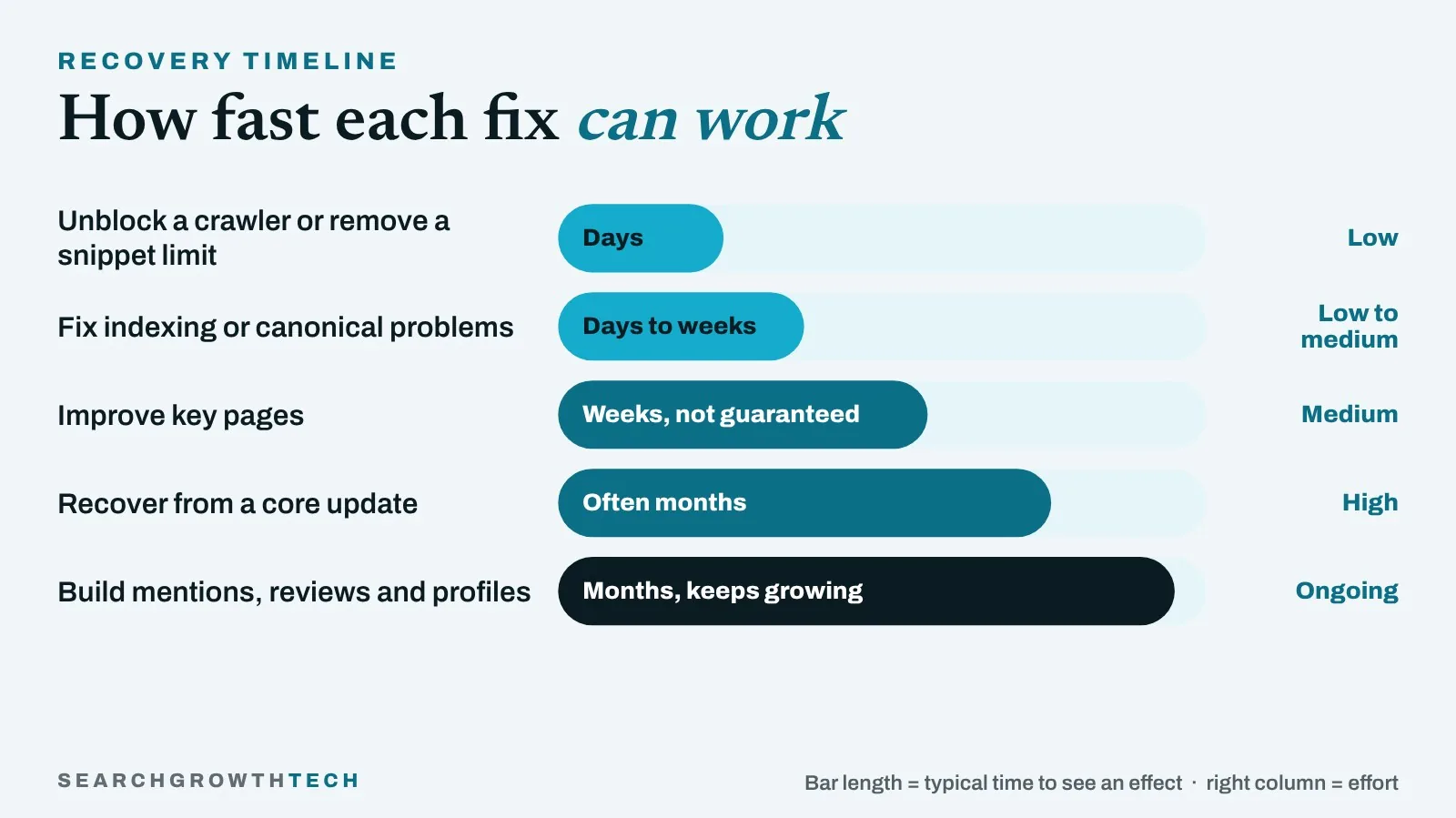
These are general expectations, not promises. Start with the low-effort fixes, then spend your time on the pages that bring in business.
What Not to Do
- Do not trust guaranteed recovery. No one controls which sources an AI answer uses. Google says even eligible pages are not guaranteed to be shown.
- Do not expect a file to fix it. Google says no llms.txt file or special schema is needed for AI Overviews or AI Mode.
- Do not block Google to stop AI answers. Blocking Googlebot or adding nosnippet across the site also hurts your normal listings.
- Do not change the date without changing the page. Real updates help. A new date on old content does not.
What This Means for SEO Teams
Lost AI search visibility is rarely one problem. It is usually a mix of ranking changes, fewer people clicking, and stronger sources elsewhere. Teams that diagnose first, with clear filters and a fixed prompt log, recover faster and can show what actually worked.
Key Takeaways
- Find out whether you lost rankings, clicks, citations or crawler access before changing anything.
- Use a question-query regex in Search Console and an AI-referral regex in GA4 to see the pattern.
- Check robots.txt, firewall and CDN settings first. Those fixes work fastest.
- Some clicks on simple questions will not return. Add what an AI summary cannot give.
- Track a fixed prompt log monthly and judge recovery on trends.
FAQs
Why Did My Site Disappear From AI Overviews?
Common reasons include a ranking drop, a technical block, a snippet setting, or other pages now answering the question better. AI answers also change often, so check over several days before acting.
How Long Does It Take to Recover AI Search Visibility?
Technical fixes can show results within days of recrawling. Content and ranking recovery usually takes weeks or months, and Google does not guarantee it.
Can I See AI Overview Traffic in Search Console?
Not separately. It is included in the Performance report under the “Web” search type. A regex filter for question queries helps you see where AI answers are likely affecting clicks.
How Do I Track Traffic From ChatGPT in Google Analytics?
Filter Session source with a regex such as chatgpt|perplexity|gemini|copilot|claude. Some AI visits arrive without a source, so the real number may be higher.
Should I Block GPTBot?
That depends on whether you want your content used for training. Blocking GPTBot does not block OAI-SearchBot, which is the crawler used for ChatGPT search.
Should I Pay for an AI Visibility Recovery Service?
Be careful with any service that guarantees results. Ask how they diagnose the cause, what they will change, and how they will measure it.