Most “best YouTube SEO tool” roundups are written by one of the tools being compared. Semrush’s own list puts Semrush in it. vidIQ and TubeBuddy each publish comparisons that favor themselves. This one is neutral: SearchGrowthTech has no affiliate relationship with any of the three. We compared what each tool does, what it costs, and who it suits, based on published plan details.
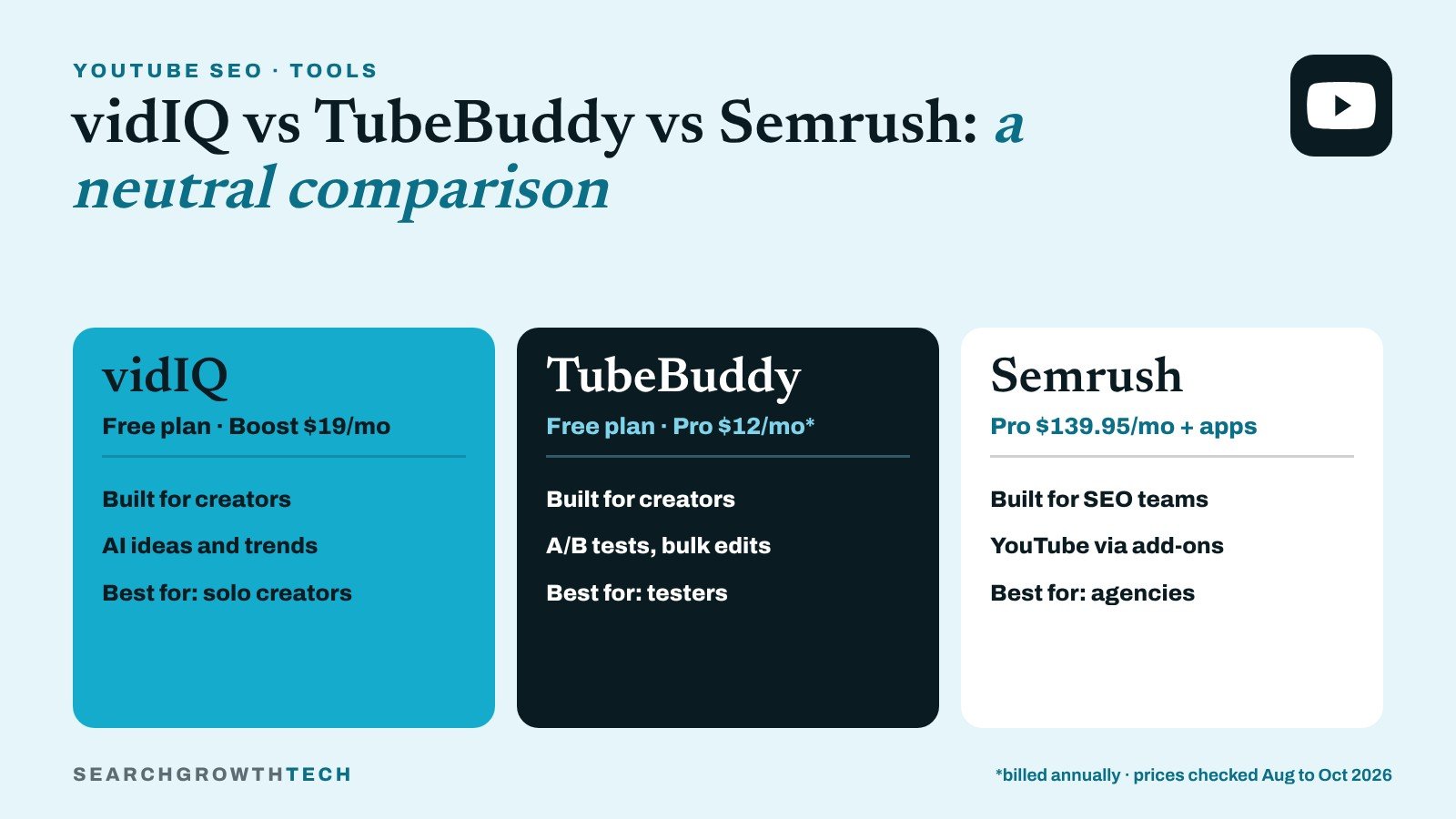
In short: vidIQ and TubeBuddy are built for YouTube creators. vidIQ leans toward AI ideas, trends and coaching, with a free plan and paid plans from $19 a month. TubeBuddy leans toward hands-on channel tools such as bulk editing and thumbnail A/B testing, with paid plans from $12 a month billed annually. Semrush is a general SEO platform. Its YouTube features come mostly from paid App Center add-ons, such as Keyword Analytics for YouTube ($10 a month) and Rank Tracker for YouTube ($19 a month), on top of a Semrush plan from $139.95 a month. For a creator, vidIQ or TubeBuddy is usually the better fit. For an agency that already pays for Semrush, its add-ons can be enough. Prices below were checked against published plan details in August to October 2026 and change often.
At a Glance
| vidIQ | TubeBuddy | Semrush | |
|---|---|---|---|
| Built for | YouTube creators | YouTube creators and teams | SEO and marketing teams |
| Free plan | Yes | Yes | No (free trial) |
| Entry paid price | Boost: $19/mo | Pro: $12/mo billed annually | Pro: $139.95/mo, plus YouTube apps |
| Strength | AI ideas, trends, coaching | Channel tools, A/B testing, bulk edits | Web SEO, plus YouTube keyword and rank apps |
| Thumbnail A/B testing | Not in published plan highlights | Yes, on Legend | No |
| Best for | Solo creators wanting ideas fast | Creators who want to test and manage | Agencies already using Semrush |
Pricing Compared
vidIQ
| Plan | Monthly | Annual | Highlights |
|---|---|---|---|
| Free | $0 | $0 | Trends, daily ideas, basic stats, 150 AI credits |
| Boost | $19 | About $16.58/mo | Optimization tools, thumbnail generation, full AI Coach |
| Max | $49 | $39/mo | More AI usage, clip generation, advanced AI modes |
vidIQ also lists coaching and enterprise options. Figures as of August 2026, as reported from vidIQ’s pricing page.
TubeBuddy
| Plan | Price | Highlights |
|---|---|---|
| Free | $0 | Basic keyword and tag tools, limited results |
| Pro | $12/mo billed annually | Full Keyword Explorer, SEO Studio, Search Explorer |
| Legend | $27/mo billed annually | A/B testing, bulk processing, retention analysis, AI tools |
| Enterprise | Custom | Multi-user access and dashboards |
TubeBuddy licenses per channel. Figures as of late September 2026. Prices outside the US may show in local currency.
Semrush
| Item | Price | What it adds |
|---|---|---|
| Semrush Pro plan | $139.95/mo | Core platform, required for apps |
| Keyword Analytics for YouTube | $10/mo after a 7-day trial | Popular YouTube keywords and trends in 17 countries, related keywords, top videos |
| Rank Tracker for YouTube (by Tubics) | $19/mo | Weekly YouTube rankings for your channel and competitors, up to 200 keywords |
| YouTube Gap Analyzer | Not published in its announcement | AI review of the top five videos for a topic |
Semrush plan price as reported in October 2026. App prices from Semrush’s knowledge base.
Feature by Feature
Based on each tool’s published plan details. “Not in published plan highlights” means we couldn’t confirm the feature, not that it doesn’t exist.
| Task | vidIQ | TubeBuddy | Semrush |
|---|---|---|---|
| YouTube keyword research | Yes | Yes (Keyword Explorer) | Yes, via app |
| Video ideas and trends | Strong, AI-driven | Yes | Limited |
| YouTube rank tracking | Not in published plan highlights | Tag rank tracking | Yes, via app |
| Thumbnail tools | AI generation | AI tools and A/B testing | No |
| Bulk editing | Not in published plan highlights | Yes, on Legend | No |
| Competitor research | Yes | Yes (about 10 channels) | Yes, via apps |
| Website and Google SEO | No | No | Yes, its core |
What No Tool Can Tell You
- YouTube’s real ranking weights. YouTube doesn’t share them. Tool “SEO scores” are each tool’s own model.
- Exact search volumes. YouTube doesn’t publish them. Every tool estimates.
- Satisfaction. YouTube’s survey data isn’t available to any tool.
Treat scores as guidance and judge results in YouTube Studio. Many tools also still push tags, which YouTube says play a minimal role. See what tags are in YouTube.
Which Should You Choose?
| You are… | Our pick | Why |
|---|---|---|
| A new creator on a budget | vidIQ Free or TubeBuddy Free | Free tiers cover basic research |
| A solo creator who needs ideas | vidIQ Boost | Strong trend and idea features |
| A creator testing titles and thumbnails | TubeBuddy Legend | A/B testing and bulk tools |
| An agency already paying for Semrush | Semrush YouTube apps | Low add-on cost, one platform |
| A business with a website and a channel | Semrush plus a free creator tool | Semrush for web SEO, free tier for YouTube basics |
Free YouTube Studio analytics, especially the search terms report, remain the most accurate data on what’s working. Start there before paying. For what to optimize, see YouTube ranking factors 2026.
How We Compared Them
We looked at each tool’s published plans and features rather than running paid trials of every tier. That means:
- Prices come from published plan details, checked between August and October 2026.
- Where we couldn’t confirm a feature from published plan information, we say so instead of guessing.
- We didn’t use affiliate links, and none of the three companies reviewed this article.
Free Alternatives Worth Using First
| Free tool | What it does well |
|---|---|
| YouTube Studio search terms report | Shows the exact queries that bring viewers to each video |
| YouTube search autocomplete | Reveals real phrases people type |
| Google Trends (YouTube Search filter) | Compares interest in topics and spellings over time and by region |
| YouTube Studio Research tab | Shows what your audience and others search for, where available |
For many small channels, these free sources plus a free tier of vidIQ or TubeBuddy are enough. Paid plans make more sense once you publish regularly and want to save time on research, testing or reporting. Our Hindi keyword research guide shows how far Google Trends alone can take you.
Questions to Ask Before You Pay
- What problem am I solving? Finding ideas, testing thumbnails, tracking rankings and reporting to clients need different tools.
- How many channels? TubeBuddy licenses per channel, so costs grow with each one.
- Do I also need website SEO? If yes, Semrush covers both, with YouTube as an add-on.
- Will I use it weekly? If not, a free tier and YouTube Studio may be enough.
- Is there a free plan or trial? vidIQ and TubeBuddy have free plans. Semrush offers trials.
Whichever tool you choose, judge it by results in YouTube Studio: more impressions from search, higher click-through rate and better retention on the videos you optimized.
Key Takeaways
- vidIQ and TubeBuddy are creator tools. Semrush is a web SEO platform with YouTube add-ons.
- vidIQ suits idea-driven creators. TubeBuddy suits creators who want testing and bulk tools.
- Semrush’s YouTube apps make sense mainly if you already pay for Semrush.
- No tool sees YouTube’s real ranking weights or satisfaction data.
- Prices change often. Check each tool’s pricing page before buying.
FAQs
Is vidIQ or TubeBuddy Better?
It depends on your workflow. vidIQ is stronger for ideas and trends. TubeBuddy is stronger for testing and channel management.
Does Semrush Work for YouTube SEO?
Through App Center add-ons, such as Keyword Analytics for YouTube and Rank Tracker for YouTube.
Is There a Free YouTube SEO Tool?
Yes. vidIQ and TubeBuddy both have free plans, and YouTube Studio analytics is free.
How Much Does vidIQ Cost?
Boost was $19 a month and Max $49 a month as of August 2026, with discounts for annual billing.
How Much Does TubeBuddy Cost?
Pro was $12 a month and Legend $27 a month, billed annually, as of September 2026.
Do YouTube SEO Tools Show Real Search Volume?
No. YouTube doesn’t publish search volumes, so tools estimate them.