
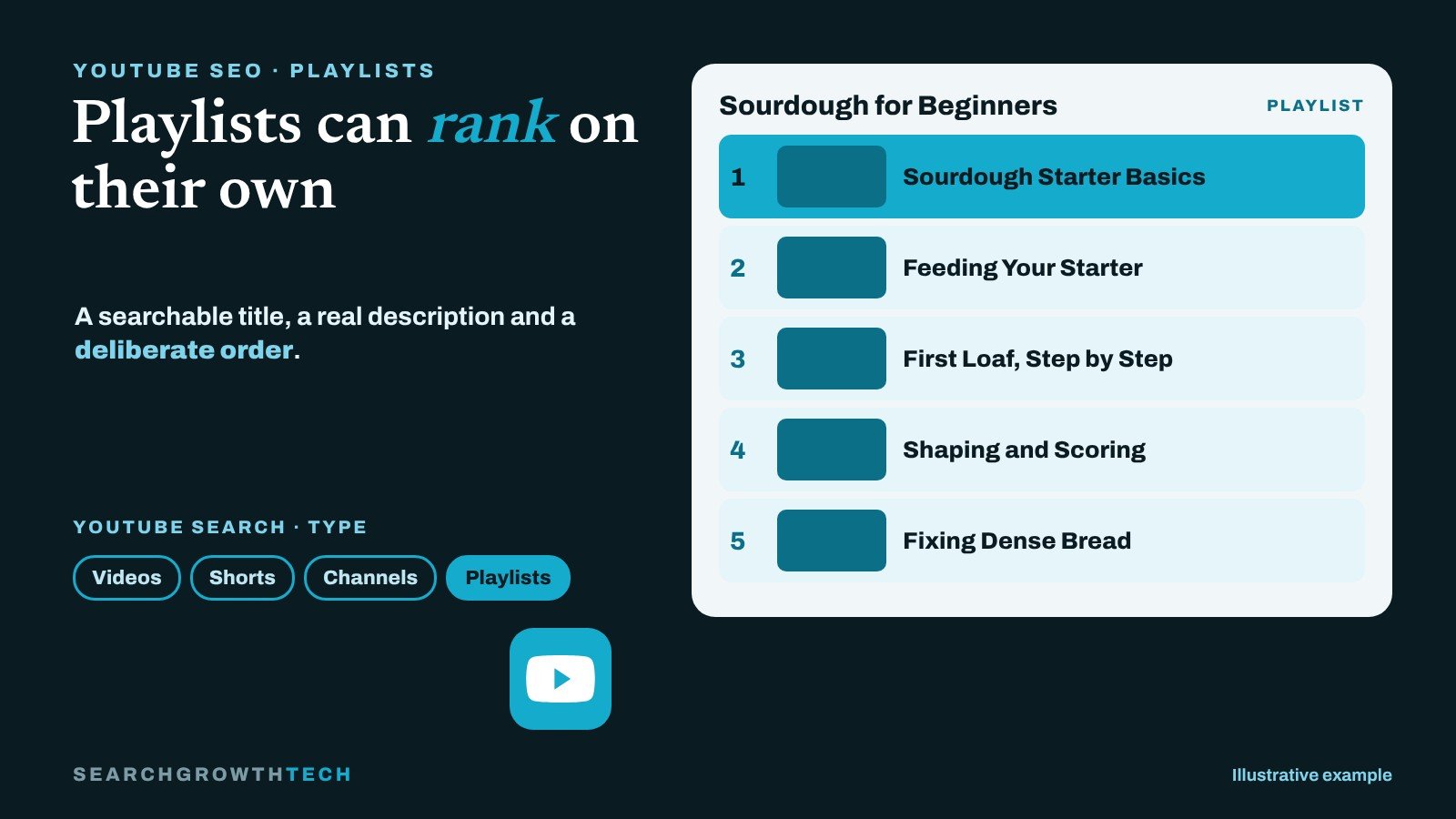
Most channels treat playlists as folders: a way to tidy the channel page. But a public playlist has its own title, description and URL, and it’s a result type in YouTube search. When someone filters search by Playlists, or watches one video and the next plays automatically, a well-built playlist keeps them on your channel instead of drifting away.
In short: YouTube playlists can rank as their own results. “Playlists” is one of the Type options in YouTube’s search filters, alongside Videos, Shorts and Channels. Playlist pages have their own URLs and can also appear in Google. To rank a playlist, give it a title in the words people search, a clear description, and a focused set of videos in a logical order. YouTube’s own podcast guidance follows the same logic: a podcast show on YouTube is a playlist, and YouTube says a detailed description “helps new listeners discover your show from their searches.” Facts below were checked against YouTube Help and YouTube’s January 2026 search filter changes on 5 November 2026.
Why Playlists Matter for SEO
| Benefit | How it works |
|---|---|
| Another way to rank | Playlists appear when viewers filter search by Playlists, and can show in mixed results |
| Longer sessions | Videos play one after another, so viewers stay with your content |
| Topical authority | A themed playlist signals what your channel covers |
| Better channel page | Playlists organize sections for new visitors |
| Podcasts | On YouTube, a podcast show is a playlist |
How Playlists Get Found
In YouTube Search
YouTube’s January 2026 filter update kept Playlists as a Type option, so viewers can search for playlists directly. Playlist titles and descriptions give YouTube text to match against the query.
In Google Search
Public playlists have their own URL on youtube.com, so they can be indexed and shown in Google results like other pages. A clear title and description give Google something to understand and display.
Through Autoplay and Sessions
When a viewer plays a video from a playlist, the next one in the list follows. That’s the main way playlists add watch time, and why order matters.
How to Optimize a YouTube Playlist
1. Choose One Clear Topic
“Sourdough for Beginners” is a better playlist than “Baking Videos.” Narrow playlists match specific searches and make sense to viewers.
2. Write a Searchable Title
Use the phrase people search, near the start: “Excel Formulas Tutorial for Beginners” rather than “My Excel Series.” For podcasts, YouTube advises using your show’s exact name and not adding extra words.
3. Write a Real Description
Explain what the playlist covers, who it’s for and what order to watch in. Two or three short paragraphs are enough. YouTube’s podcast guidance says detailed descriptions help discovery from search.
4. Order Videos Deliberately
- Tutorials and courses: beginner to advanced.
- Podcasts: in viewing order across seasons. YouTube advises not splitting seasons into separate podcasts.
- Topic hubs: your best, most satisfying video first.
5. Keep It Public and Maintained
Only public playlists can be found in search. Remove deleted or private videos, and add new uploads that fit the theme.
6. Use Strong First Videos
The first video sets expectations. If it disappoints, viewers leave the playlist, and the session ends.
7. Link Playlists From Videos
Use end screens, cards and descriptions to point viewers to the full playlist.
Playlist Types and When to Use Them
| Type | Best for | Order |
|---|---|---|
| Course or series | Tutorials, step-by-step learning | Sequential |
| Topic hub | Evergreen subjects you cover often | Best first |
| Podcast | Full episodes of a show | Viewing order |
| Product or use case | Businesses showing products, demos and FAQs | Overview, then detail |
| Language-specific | Channels publishing in several languages | Mirrors the main playlist |
Playlist Titles: Examples
| Weaker | Stronger |
|---|---|
| Season 1 | Home Workouts Without Equipment: 30-Day Series |
| Random Recipes | Quick Indian Breakfast Recipes Under 15 Minutes |
| Product Videos | Vibro Sifter Machine Demos and Setup Guides |
| Tips | YouTube SEO Tips for Small Channels |
Mistakes to Avoid
- Giant catch-all playlists with hundreds of unrelated videos.
- Empty descriptions. They leave search nothing to match.
- Private or unlisted playlists you expect to rank.
- Misleading titles that promise a topic the videos don’t cover.
- Broken order, such as part 3 before part 1.
How to Measure Playlist Performance
- In YouTube Studio, open Content and select the Playlists tab.
- Check views and watch time from playlist pages.
- Look at traffic sources for each playlist, including YouTube search.
- Compare playlists to see which themes keep viewers watching.
Menu names can vary as YouTube Studio updates.
Playlists, Chapters and Search Together
Playlists organize videos. Chapters organize the inside of each video. Together, they help viewers and search engines find the exact answer and the next video. See our guide on YouTube chapters and Google key moments, and for the bigger picture, how to rank on YouTube.
A Playlist Plan for a New Channel
If you’re starting out, plan playlists before you have many videos. It keeps your uploads focused and makes the channel page useful from the start.
- Pick three core topics your channel will cover repeatedly.
- Create one public playlist for each, with a searchable title and a two-paragraph description.
- Plan five video ideas per playlist, ordered from beginner to advanced.
- Add every new upload to the right playlist on the day it goes live.
- Feature the playlists as sections on your channel page.
- Review after three months and split any playlist that has grown too broad.
Playlists for Businesses
Businesses often have mixed uploads: ads, demos, testimonials and event clips. Playlists turn that mix into a library customers can use:
| Playlist | What goes in it |
|---|---|
| Product demos | One playlist per product line, demo first |
| How-to and support | Setup, troubleshooting and maintenance videos |
| Customer stories | Testimonials and site visits, with consent |
| FAQs | Short answers to the questions your team hears most |
Link the matching playlist from each product or service page on your website, so visitors can keep watching without searching.
Playlist Checklist
| Item | Why it matters |
|---|---|
| Public visibility | Private playlists can’t be found in search |
| Searchable title, key phrase first | Gives YouTube and Google a clear match |
| Two to three paragraph description | Explains the topic and viewing order |
| Strongest video first | Sets expectations and keeps viewers watching |
| Logical order | Sequential learning or best-first browsing |
| No deleted or private videos | Broken entries interrupt the session |
| Linked from end screens and descriptions | Sends viewers into the playlist |
| Featured on the channel page | Helps new visitors find your best content |
Key Takeaways
- Playlists are a search result type on YouTube and have their own URLs.
- A searchable title and a real description are the core of playlist SEO.
- Order videos deliberately and start with your strongest one.
- Keep playlists focused, public and maintained.
- On YouTube, podcasts are playlists, so the same rules apply.
FAQs
Do YouTube Playlists Rank in Search?
Yes. Playlists are a result type in YouTube search filters, and public playlist pages can appear in Google.
How Do I Name a YouTube Playlist for SEO?
Use the phrase people search, near the start, and describe the topic clearly.
Should Playlist Descriptions Include Keywords?
Yes, naturally. Explain what the playlist covers and who it’s for.
How Many Videos Should a Playlist Have?
YouTube doesn’t say. Enough to cover the topic well, without unrelated filler.
Can One Video Be in Several Playlists?
Yes. A video can sit in any playlist where it fits the theme.
Are YouTube Podcasts Playlists?
Yes. YouTube says a podcast show is a playlist, and episodes are videos in it.


