You spot an unfamiliar bot in your server logs, or you would rather competitors could not study your site in Moz’s tools, so you search “how do I block Moz Explorer from crawling my site.” The answer is short, but there is a catch most guides miss: Moz uses two different crawlers, and blocking one does not block the other.
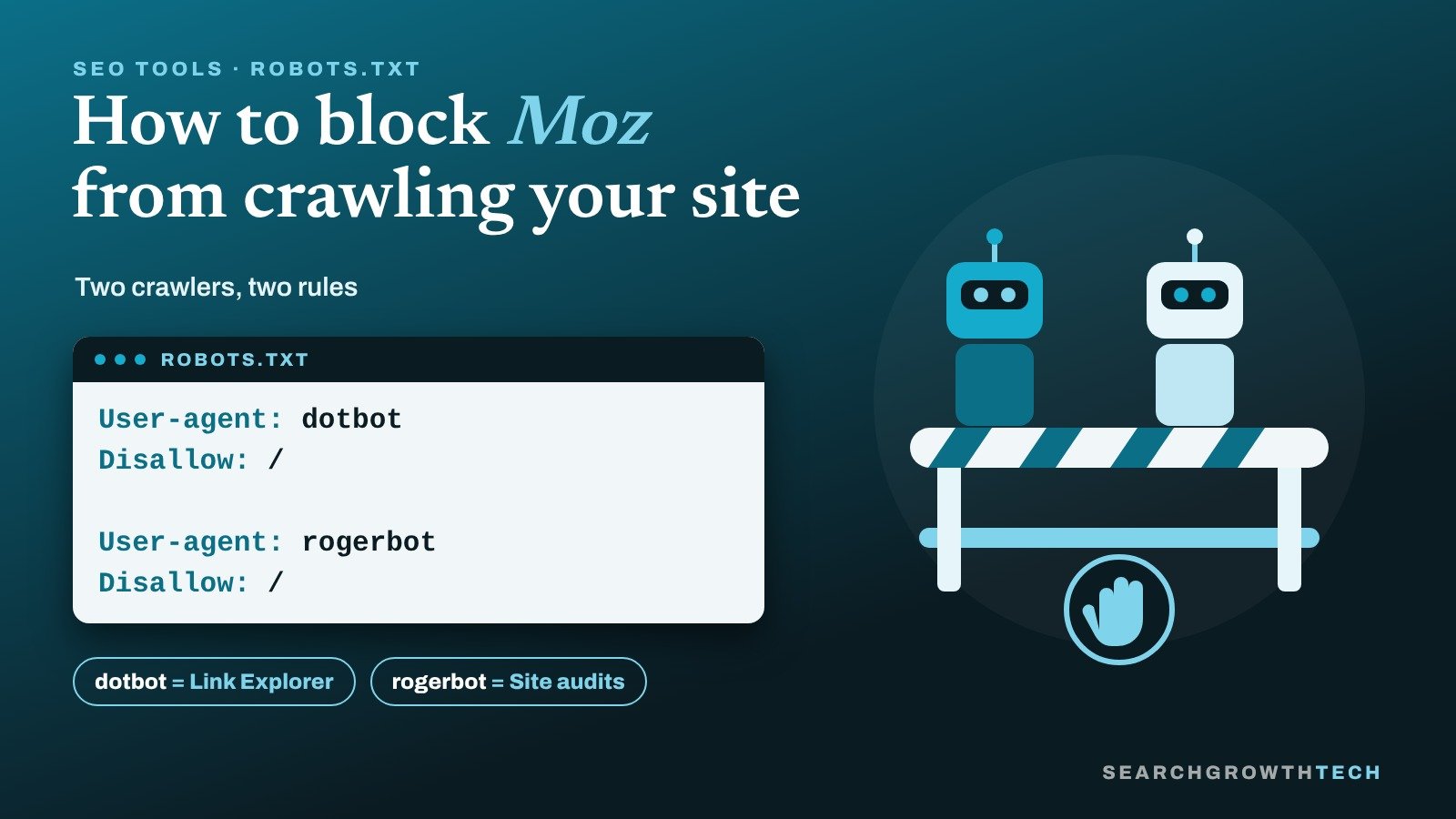
In short: to block Moz, add rules for its two user-agents to your robots.txt file. dotbot crawls the web for Moz’s Link Index, which powers Link Explorer and the Moz API. rogerbot crawls sites for Moz Pro site audits. Adding User-agent: dotbot and User-agent: rogerbot, each followed by Disallow: /, blocks both. Moz says it always respects robots.txt. Blocking Moz has no effect on your Google rankings.
Here is the exact code, how to add it in WordPress, what blocking does and does not hide, and how to check it worked.
Moz Has Two Crawlers, Not One
| User-agent | What it does, according to Moz | What blocking it stops |
|---|---|---|
dotbot | Crawls the web for the Moz Link Index, used by Link Explorer, the Links section of Moz Pro campaigns and the Moz Links API | Moz collecting new link data from your pages |
rogerbot | Crawls sites for Moz Pro Campaign Site Crawl and On-Demand Crawl, and powers Page Optimization and On-Page Grader | Moz Pro site audits of your site, including audits run by others |
When people say “Moz Explorer,” they usually mean Link Explorer, which relies on dotbot. If you only block rogerbot, Link Explorer can still gather data from your pages.
Copy-and-Paste robots.txt Rules
Block Moz Completely
User-agent: dotbot
Disallow: /

User-agent: rogerbot
Disallow: /
Block Moz From Certain Folders Only
User-agent: dotbot
Disallow: /private/
Disallow: /checkout/

User-agent: rogerbot
Disallow: /private/
Disallow: /checkout/
Slow Moz Down Instead of Blocking It
If your concern is server load rather than privacy, Moz supports a crawl delay. Moz’s help pages say it does not recommend a rogerbot delay above 30 seconds, or the audit may not finish.
User-agent: dotbot
Crawl-delay: 10

User-agent: rogerbot
Crawl-delay: 10
Allow Your Own Moz Audits but Block Link Indexing
If you use Moz Pro for your own site audits but do not want your pages in Moz’s Link Index, block only dotbot:
User-agent: dotbot
Disallow: /

User-agent: rogerbot
Disallow:
An empty Disallow: line means nothing is blocked for that crawler.
How to Add These Rules in WordPress
- Check your current file. Visit
yoursite.com/robots.txtand note what is already there. - Edit it with your SEO plugin. In Yoast SEO, go to Yoast SEO, then Tools, then File editor. Rank Math and All in One SEO include their own robots.txt editors in their settings.
- Or edit the file directly. If your host gives you file access, edit
robots.txtin your site’s root folder using the hosting file manager or SFTP. - Add the Moz rules as separate groups. Keep your existing rules, especially your sitemap line and any Googlebot rules.
- Save and recheck
yoursite.com/robots.txtin a private browser window. Clear your cache if the old version still shows.
Be careful not to add Disallow: / under User-agent: * by mistake. That would ask every crawler, including Googlebot, to stay away from your whole site.
What Blocking Moz Does Not Do
This is the part most guides skip.
- It does not hide your backlinks. Your backlinks live on other people’s websites. Moz finds them by crawling those sites, and your robots.txt cannot control that. Blocking dotbot mainly stops Moz from reading your own pages, including the links you point to other sites.
- It does not remove existing data immediately. Moz says dotbot only checks robots.txt the first time it encounters a site during a new index crawl. Changes may not take effect until Moz next finds links to your site.
- It does not stop other SEO tools. Ahrefs, Semrush and others use their own crawlers, listed below.
- It does not affect Google. Moz is a third-party tool. Blocking it has no direct effect on your Google rankings or indexing.
- It does not stop bots that ignore robots.txt. robots.txt is a request, not a lock. Moz says its crawlers obey it, but for any bot that does not, you would need server-level or firewall blocking.
Should You Block Moz at All?
| Reason | Does blocking help? |
|---|---|
| Reduce server load from crawlers | Partly. A crawl delay may be enough |
| Stop competitors seeing your backlinks | Not really. Backlinks are found on other sites |
| Keep staging or private sections out of SEO tools | Yes, for folders you block, but use passwords for truly private content |
| Hide outbound links from link indexes | Yes, for Moz’s index, once dotbot rechecks your site |
| Improve Google rankings | No |
If you use Moz Pro yourself, blocking rogerbot will stop your own site audits from working. Many site owners only block crawlers when they cause real load problems.
Blocking Other SEO Tool Crawlers
If your goal is to limit SEO tools in general, Moz is only one of several. These user-agents are listed on each company’s own bot page:
| Tool | Crawler user-agents |
|---|---|
| Moz | dotbot (link index), rogerbot (site audits) |
| Ahrefs | AhrefsBot |
| Semrush | SemrushBot, SiteAuditBot and several specialized SemrushBot variants |
Each needs its own User-agent group in robots.txt. Blocking one tool does not block the others. For a comparison of the tools themselves, see our guide on whether Semrush or Moz is easier to use.
How to Check the Block Is Working
- Read your live file at
yoursite.com/robots.txtand confirm both Moz groups appear exactly as written. - Check your server logs or hosting analytics for requests with “dotbot” or “rogerbot” in the user-agent. After the block, they should only request
/robots.txt. - Test with Moz Pro if you have it. A rogerbot block will cause Site Crawl to report that it cannot crawl the site.
- Give it time. Link Explorer data that already exists will not disappear the moment you add the rule.
Key Takeaways
- Moz uses two crawlers: dotbot for its Link Index and Link Explorer, and rogerbot for Moz Pro site audits.
- Block both with separate
User-agentgroups andDisallow: /in robots.txt. - Moz says it always respects robots.txt, but dotbot only rechecks it during a new index crawl.
- Blocking Moz does not hide your backlinks, which are found on other sites.
- Blocking Moz does not affect your Google rankings.
FAQs
How Do I Block Moz From Crawling My Site?
Add User-agent: dotbot and User-agent: rogerbot to your robots.txt, each followed by Disallow: /. Moz says both crawlers obey robots.txt.
What Is Dotbot?
Dotbot is Moz’s web crawler for the Moz Link Index, which powers Link Explorer, the Links section of Moz Pro campaigns and the Moz Links API.
What Is Rogerbot?
Rogerbot is Moz’s site audit crawler. It runs Moz Pro Site Crawl and On-Demand Crawl and supplies data for Page Optimization and On-Page Grader.
Will Blocking Moz Hurt My SEO?
No. Moz is a third-party tool. Blocking its crawlers does not affect how Google crawls, indexes or ranks your site.
Can I Block Moz by IP Address?
Moz says rogerbot does not use a fixed IP range and uses many changing IP addresses, so blocking by user-agent in robots.txt is the recommended method.
Does Blocking Moz Hide My Backlinks From Competitors?
Not fully. Backlinks sit on other websites, which Moz can still crawl. Blocking dotbot mainly stops Moz reading your own pages.